Yes, Showit is good for SEO, when set up correctly. It uses WordPress for the blog (full Yoast/Rank Math support), generates clean HTML for main pages, and ranks just as well as Squarespace or WordPress for photographers when configured properly. The key is: fill in every SEO field, connect the WordPress blog, publish content your clients are searching for, and set up a Google Business Profile.
Showit SEO for photographers is the practice of optimizing a Showit website, and its connected WordPress blog, to rank in Google search results and attract photography clients through organic search. It covers everything from page titles and meta descriptions inside the Showit editor, to content strategy on your WordPress blog, to local visibility through Google Business Profile.
If you’re trying to figure out Showit SEO for photographers, you’re in exactly the right place. Imagine this: you spent weeks designing your Showit website. The galleries look stunning. The about page feels personal. The pricing page is perfectly crafted. You hit publish, and then… nothing. No inquiries. No Google traffic. Just silence.
You google yourself. You’re on page 4. Maybe page 6. A competitor who launched six months after you is sitting comfortably on page 1 with half the portfolio and a site that looks like it was built in 2018.
That’s the Showit SEO problem, and it’s not the platform’s fault. It’s a setup problem. A strategy problem. And it’s 100% fixable.
I’m Adil Makhdoom, a Showit web designer and SEO specialist based in Lahore, Pakistan. I’ve worked on 90+ Showit projects for photographers across the US, UK, Australia, and beyond. I’ve seen what makes Showit sites rank, and what keeps them invisible. This guide is everything I know, put into one place.
Whether you’re launching a brand new Showit site or trying to rescue an existing one from Google’s graveyard, this is the complete 2026 guide to Showit SEO for photographers. Let’s get into it.
Is Showit Actually Bad for SEO? 5 Myths Debunked
Every few months I see a Reddit post or a photography forum thread where someone confidently declares that “Showit is terrible for SEO” and photographers should switch to WordPress or Squarespace. These claims spread fast. And they’re mostly wrong. Let me debunk the five biggest myths I encounter.
Myth 1: Showit Canvas Pages Can’t Be Indexed by Google
This one comes from a misunderstanding of how Showit technically works. Yes, Showit builds pages using a visual canvas. But when you publish your site, Showit generates clean, static HTML files, not JavaScript-rendered single-page applications. Google can crawl and index these HTML files just fine.
The actual issue is different: if you put all of your text inside text boxes that are styled as images, or if you’re embedding large amounts of decorative text as part of a graphic, Google may not parse it as readable content. But that’s a design decision, not a platform limitation. When you add readable text to your Showit pages using standard text elements and fill in your SEO fields, Google indexes that content without any problems.
Verdict: False. Showit canvas pages are indexed. The key is to add real, readable text content to each page, not just images and decorative elements.
Myth 2: Showit Is Worse Than WordPress for SEO
WordPress has a reputation as the gold standard for SEO. And on a standalone WordPress site, that’s fair: you have full server control, unlimited plugin options, and complete technical flexibility. But here’s the thing: Showit comes bundled with WordPress for the blog. You get full access to Rank Math or Yoast SEO on your blog posts. You get XML sitemaps. You get structured data control. The only difference is that your main canvas pages are hosted on Showit’s infrastructure rather than your own server.
In practice, Showit pages load fast on Cloudflare’s CDN, generate valid HTML, and support all standard meta tags. The SEO gap between Showit and a standalone WordPress site is far smaller than the myth suggests, and for most photographers, it doesn’t matter at all.
Verdict: Mostly false. For photographers specifically, Showit + WordPress blog delivers 95% of the SEO capability of standalone WordPress, with far less technical overhead.
Myth 3: You Need to Switch Platforms to Rank on Google
I hear this one constantly. A photographer gets some bad advice and decides to migrate their entire site to a new platform, losing their existing domain authority, breaking their inbound links, and starting from scratch, when the real solution was just configuring their existing Showit site properly.
Platform migrations are almost never the answer to an SEO problem. If your Showit site isn’t ranking, the issue is almost always one of these: missing or thin on-page content, no keyword strategy, incomplete SEO settings, no Google Business Profile, or no backlinks. All of these are fixable on Showit, no migration needed.
Verdict: False. Rank on Showit first. Don’t migrate unless you have a genuinely compelling reason beyond SEO.
Myth 4: Showit Sites Are Always Slow
Showit sites used to have a reputation for being heavy. That reputation was partially earned a few years ago. In 2026, it’s outdated. Showit serves pages through Cloudflare’s global CDN, which means fast load times for visitors worldwide. Modern Showit templates are built with performance in mind, and if you compress your images properly (more on this later), your Core Web Vitals scores can be competitive with any other platform.
Yes, you can make a Showit site slow if you upload 5MB uncompressed images and embed a dozen third-party scripts. But the same is true of WordPress, Squarespace, or any other platform. Image optimization is the single biggest lever for Showit site speed.
Verdict: False (in 2026). Properly optimized Showit sites score well on PageSpeed Insights. Speed is about your assets, not the platform.
Myth 5: Only Blog Posts Can Rank on Showit
This myth comes from the idea that since Showit’s blog is powered by WordPress, only blog content can rank. Not true. Your Showit canvas pages, homepage, about page, services page, portfolio, contact, can all rank for competitive keywords. Many photographers rank on page 1 with their homepage or services page for location-based searches like “wedding photographer in [city]” without publishing a single blog post.
Blog content accelerates SEO by targeting long-tail keywords and building topical authority. But it’s not the only path. A well-optimized Showit services page with strong on-page content, proper meta tags, and local SEO signals absolutely ranks.
Verdict: False. Canvas pages rank. Blog posts amplify and expand your reach. You need both working together.
How Showit SEO Works: The Technical Reality
Before diving into tactics, it helps to understand the mechanics of Showit SEO for photographers, specifically how Showit handles content at a technical level, and why that matters for Google rankings.
Understanding SEO for Showit starts with knowing how the platform actually handles your content under the hood. To optimize Showit properly, it helps to understand what’s actually happening under the hood. Showit has a dual architecture, and once you grasp it, the SEO strategy becomes obvious.
Showit Canvas Pages vs. WordPress Blog Posts
When you build a page in Showit’s visual editor, you’re working on a canvas. You drag and drop elements, set desktop and mobile layouts, and design every detail visually. When you hit publish, Showit converts that canvas into a static HTML page and serves it from their servers (on Cloudflare’s CDN).
Your blog, however, is a completely separate WordPress installation. It lives at a subdirectory like yourdomain.com/blog/ and runs actual WordPress with all of its ecosystem, themes, plugins, SEO tools, and everything else WordPress supports. Your blog posts are served by WordPress, not Showit.
These two systems are connected through your domain and through a visual wrapper (your Showit theme applies to your blog’s appearance), but they’re technically separate from an SEO tooling perspective.
How Google Crawls a Showit Site
Googlebot visits your site and follows links. For your canvas pages, it reads the static HTML that Showit generates. It sees your page title, meta description, heading structure, body text, image alt attributes, and internal links, all in that static HTML file. There’s no JavaScript rendering required for Googlebot to read these pages.
For your blog posts, Googlebot crawls them exactly as it crawls any WordPress site. Your XML sitemap (generated automatically by Showit and by your WordPress SEO plugin) tells Google about every page and post on your site. Google follows that sitemap, crawls each URL, and indexes the content.
Why the Dual Architecture Is Actually an Advantage
Here’s something the Showit-is-bad-for-SEO crowd consistently misses: the dual architecture is genuinely powerful for photographers.
Your canvas pages give you total design freedom to create a visually stunning brand presence, something that’s nearly impossible to achieve on a standard WordPress theme without a page builder. And your WordPress blog gives you the full SEO toolkit: Rank Math, Yoast, structured data plugins, full content editing control, and a battle-tested infrastructure that Google has been crawling for decades.
You get the design flexibility of Showit and the SEO muscle of WordPress. That combination, when properly configured, is hard to beat. A standalone WordPress site either looks generic (with a basic theme) or requires expensive custom development to match Showit’s visual flexibility. Squarespace gives you a nice design but a limited SEO toolkit. Showit + WordPress is genuinely the best of both worlds for photographers who care about how their site looks and how it ranks.
Showit SEO Settings: Where to Find Them and How to Configure Everything
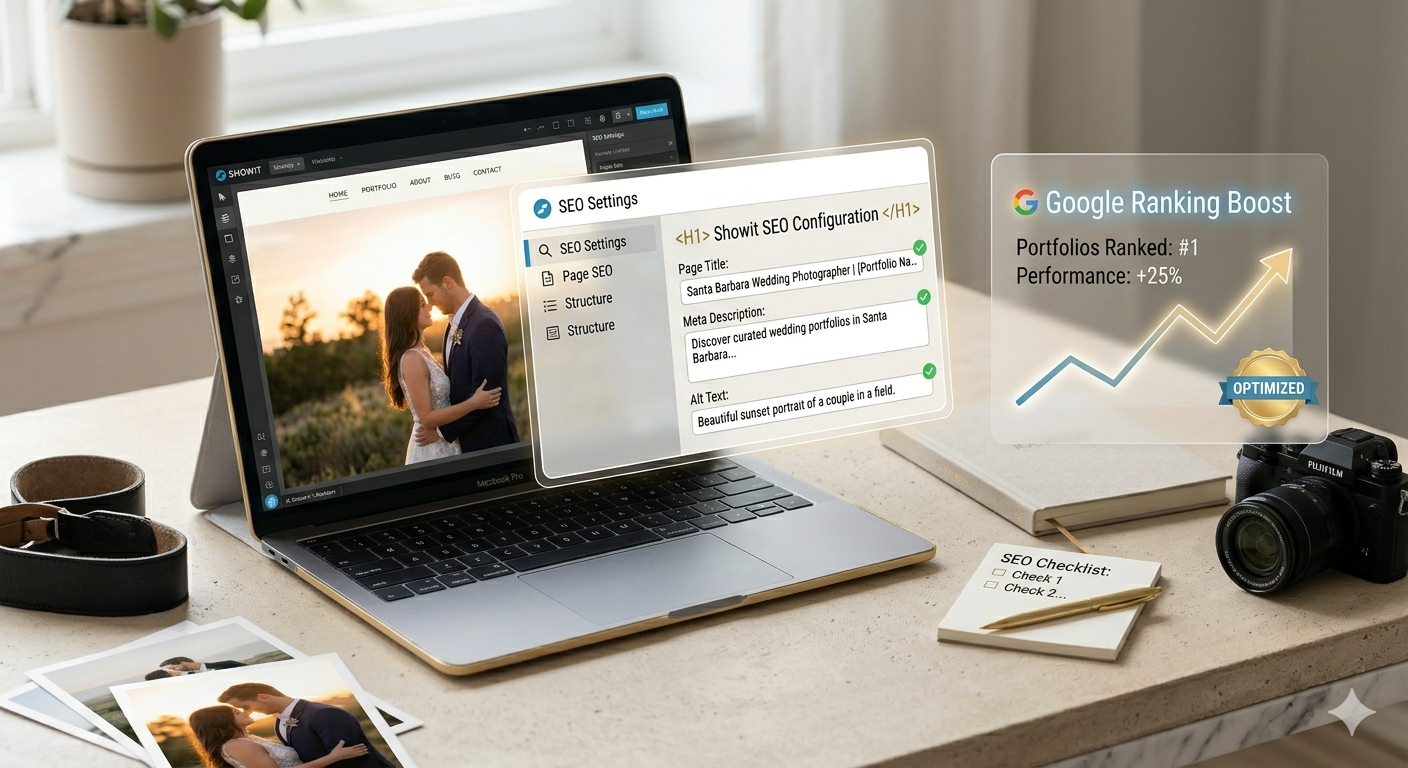
This is where most photographers get stuck. Showit’s SEO settings are spread across a few different locations, and if you don’t know where to look, you might miss them entirely. Here’s a complete walkthrough.
Site-Wide SEO Settings
In the Showit editor, click the Site Settings icon (the gear icon in the left sidebar). Under SEO, you’ll find fields for your site name and a default site description. This default description is used as a fallback when individual pages don’t have their own meta description set. Fill this in with a clear, keyword-relevant description of your business. For example: “Wedding and portrait photographer in Austin, TX, [Your Name] Photography captures authentic moments for couples and families.”
You’ll also find fields for your social sharing image (the image that appears when your site is shared on social media), your Twitter/X handle, and your Facebook App ID if you’re using Facebook Pixel. Fill these in, they don’t directly affect rankings but they improve how your site looks when shared.
Per-Page SEO Settings: Title and Meta Description
Every page in Showit has its own SEO fields. To access them, select a page in the left sidebar, then look for the Page Settings panel. You’ll see fields for:
- Page Title, This is the title tag that appears in Google search results and in the browser tab. Keep it under 60 characters. Include your primary keyword and your business name. Example: “Wedding Photography in Austin | [Your Name]”
- Page Description, This is the meta description. Keep it between 140–160 characters. Write it like ad copy, it doesn’t directly affect rankings but it dramatically affects click-through rate. Include a call to action and your primary keyword.
- Page URL, This is the slug. Keep it short, lowercase, hyphen-separated, and keyword-relevant. Example:
/wedding-photographer-austin/not/page3/or/home-2/.
Go through every page on your site and fill in all three fields. No exceptions. Leaving these blank is one of the most common and damaging Showit SEO mistakes I see.
Custom URL Slugs
In Showit’s Page Settings, the URL field controls your page slug. Always use clean, descriptive URLs. Avoid default URLs like /untitled-page/ or anything with numbers or random strings. Use lowercase letters, hyphens (not underscores), and keep slugs concise.
For service pages, use keyword-rich slugs: /wedding-photography/, /newborn-photographer/, /family-portraits/. For your blog posts (handled in WordPress), your SEO plugin controls the slug, set it in the URL field within the post editor.
Image Alt Text in Showit
Select any image element on your canvas, then look in the right panel for Alt Text. This field is often completely empty on Showit sites. Fill it in for every significant image. Write descriptive alt text that describes what’s in the image and, where natural, includes a relevant keyword. More on this in the Image SEO section below.
Connecting to Google Search Console
Google Search Console (GSC) is free, essential, and surprisingly underused by photographers. Here’s how to connect it to your Showit site:
- Go to search.google.com/search-console and sign in with your Google account.
- Click Add Property and enter your domain (e.g.,
yourdomain.com). - Choose the Domain verification method (recommended) or the URL prefix method.
- For the HTML tag verification method: copy the meta tag Google provides, then go to Showit > Site Settings > Header Code and paste it there. Publish your site, then click Verify in GSC.
- Alternatively, verify via your DNS provider (Namecheap, GoDaddy, Cloudflare DNS) by adding the TXT record Google provides.
Submitting Your Sitemap to Google
Showit automatically generates a sitemap at yourdomain.com/sitemap.xml. Your WordPress blog also generates its own sitemap (via Rank Math or Yoast) at something like yourdomain.com/blog/sitemap_index.xml.
In Google Search Console, go to Sitemaps in the left menu. Submit both sitemaps:
sitemap.xmlblog/sitemap_index.xml(or check your SEO plugin’s sitemap URL)
This tells Google exactly where all your pages and posts are, accelerating indexing. After submitting, check back in a few days to confirm Google has crawled your sitemap without errors.
The Showit + WordPress Blog: Your Biggest SEO Asset
If you’re on Showit and not using the WordPress blog, you’re leaving the most powerful part of the platform completely untouched. Let me explain why.
Why This Integration Matters
Your canvas pages can rank for maybe 5–10 keywords each, and realistically, you’re competing for a handful of high-value terms like “[city] wedding photographer” or “newborn photographer [city].” Those are competitive. They take time.
Your blog is where you scale. Every blog post is a new page Google can index. Every post can target a different keyword. A post about “what to wear for family photos in fall” can bring in parents looking for exactly that advice, and those parents are often looking to book a photographer. A post about “best engagement photo locations in [your city]” captures local couples in research mode, which means they’re close to booking.
The blog expands your keyword footprint from a handful of terms to hundreds or thousands, each one a potential entry point for a new client.
Rank Math vs. Yoast: Which SEO Plugin for Your Showit Blog?
| Feature | Rank Math (Free) | Yoast SEO (Free) |
|---|---|---|
| Meta title & description | Yes | Yes |
| XML sitemap | Yes | Yes |
| Schema markup (built-in) | Yes, extensive | Limited (basic) |
| Local SEO schema | Yes (free) | Paid add-on only |
| FAQ schema support | Yes (Gutenberg block) | Paid add-on only |
| Keyword tracking | Yes (basic) | No (free version) |
| Redirect manager | Yes (free) | Paid only |
| Google Search Console integration | Yes | Yes |
| Content analysis | Yes | Yes |
| AI content suggestions | Yes (Content AI add-on) | No |
| Ease of use for beginners | Medium | High |
| Overall recommendation | Best for most photographers | Good alternative |
My recommendation: Rank Math. The free version includes schema markup, local SEO support, and a redirect manager, features that cost money with Yoast. For photographers starting out, those extras matter. Install it, connect it to Google Search Console, and follow the setup wizard.
Blog Content Strategy for Photographers
The most common mistake I see photographers make with their blog is publishing content without any keyword strategy. They write posts like “Our Favorite Session from Last Week” or “A Day in the Life of a Photographer”, content that no one is searching for.
Effective blog content for photographers falls into three buckets:
- Location content: “Best spots for engagement photos in [city],” “[City] wedding venues with the best natural light,” “Family photo locations in [city/region].” These rank for local searches from couples and families actively planning a shoot.
- Educational content: “What to wear for family portraits,” “How to prepare for your newborn session,” “Wedding photography timeline: how to plan your wedding day photos.” These attract ideal clients who are in planning mode and close to booking.
- Comparison and decision content: “How to choose a wedding photographer,” “Film vs. digital wedding photography,” “How much does wedding photography cost in [city].” These attract people at the final decision stage.
Done right, your blog becomes the engine that powers all your SEO for photographer portfolio websites, it builds topical authority, earns backlinks, and keeps Google returning to your site on a regular basis.
How to Find Keywords Your Ideal Client Is Searching For
You don’t need an expensive SEO tool to do keyword research. Start with these free methods:
- Google autocomplete: Type a phrase like “wedding photographer in” into Google and see what it suggests. Those suggestions are real search queries.
- People Also Ask: Search for your main keyword and look at the “People Also Ask” box in the results. Every question there is a blog post topic.
- AnswerThePublic (free tier): Enter a keyword like “newborn photographer” and get dozens of questions and phrases people are searching for around that topic.
- Google Search Console: Once your site has traffic, GSC shows you exactly what queries people are using to find you, including keywords you’re ranking for on pages 2–4 that you can push to page 1 with a focused post.
Content Calendar Idea
You don’t need to publish every week. For most photographers, two high-quality, well-researched posts per month beats four thin, rushed posts. Here’s a simple quarterly framework:
- Month 1: One location post (city-specific, local SEO), one educational post (what to expect/prepare)
- Month 2: One comparison/decision post, one real wedding or session feature (with couple’s names, venue, details: this creates unique, indexable content)
- Month 3: One FAQ-style post targeting “People Also Ask” questions, one seasonal post (spring mini sessions, holiday family photos, etc.)
Repeat. After one year, you have 24 pieces of targeted content driving organic traffic. That compounds, old posts keep ranking and bringing in traffic while you publish new ones.
Schema Markup for Photographers: With Real JSON-LD Code
📖 Want the full technical deep-dive? I’ve put together a comprehensive Showit SEO Guide covering every technical setting, schema implementation, and ranking strategy in detail, including code you can copy directly into your site.
Schema markup is structured data you add to your site that helps Google understand what your business is and what your content is about. It’s not something most photographers bother with, which means it’s a genuine competitive advantage for those who do.
Why Schema Helps Rankings and AI Overviews
Schema doesn’t directly boost rankings in the traditional sense. What it does is help Google confidently understand your content, which leads to rich results (star ratings, FAQs, business info) in search results and, increasingly, inclusion in Google’s AI Overviews. When Google can clearly identify you as a local photographer with specific services in a specific location, it’s more likely to surface your site for relevant local searches.
LocalBusiness / Photographer Schema (Full JSON-LD)
Add this to your Showit site under Site Settings > Header Code. Replace the placeholder values with your actual information:
<script type="application/ld+json">
</script>
FAQPage Schema Example
If you have an FAQ section on any of your pages, add FAQPage schema to that page’s header code. In Showit, you can add page-specific header code under Page Settings > Header Code. Here’s a working example:
<script type="application/ld+json">
</script>
Where to Add Schema in Showit
For site-wide schema (like your LocalBusiness markup): Site Settings > SEO > Header Code. This code is added to every page on your site.
For page-specific schema (like FAQPage on your FAQ page): Select the page in the left sidebar > Page Settings > Header Code. This code is only added to that specific page.
For blog post schema: use Rank Math’s built-in schema module. It handles Article, FAQPage, and How-To schema directly in the WordPress editor without any manual coding.
Image SEO for Photography Websites: The Part Everyone Skips
Here’s the irony: photographers obsess over the quality of their images, but they almost universally ignore image SEO. For a photography website, a site that is essentially one giant gallery, image SEO is not optional. It’s a major ranking factor.
File Naming Conventions
Before you upload a single image to Showit or WordPress, rename it. “DSC_4821.jpg” tells Google nothing. “austin-wedding-photographer-ceremony-kiss.jpg” tells Google exactly what that image depicts and where you work.
Follow these rules for naming images:
- Use lowercase letters and hyphens (no spaces, no underscores, no uppercase)
- Be descriptive: include what’s in the photo, where it was taken, and your location/niche where relevant
- Keep it concise: 3–6 words is ideal
- Examples:
portland-engagement-session-golden-hour.jpg,newborn-lifestyle-photographer-seattle.jpg,family-portraits-outdoor-fall-nashville.jpg
Alt Text Best Practices
Alt text serves two purposes: it helps visually impaired users understand your images via screen readers, and it gives Google additional context about what an image contains. Both matter.
Bad alt text: “image1” | “photo” | blank | “DSC_4821”
Good alt text: “Bride and groom sharing first dance at The Venue in Austin, Texas” | “Outdoor newborn photography session with sleeping baby in floral wrap” | “Fall family portraits at Shelby Farms Park in Memphis”
A few rules:
- Describe what’s actually in the image, don’t stuff keywords that have nothing to do with the photo
- Include location naturally where relevant (this helps with local SEO)
- Keep it under 125 characters
- Don’t start with “image of” or “photo of”, just describe it directly
- Every significant image on your site should have alt text, not just one or two
Image Compression: WebP, Squoosh, and ShortPixel
Uncompressed images are the single biggest cause of slow Showit sites. A 5MB JPEG from your camera is not an acceptable upload. Here’s how to handle compression:
- Squoosh (free, browser-based): Go to squoosh.app, upload your image, and export as WebP at 75–80% quality. WebP files are typically 25–35% smaller than equivalent JPEGs with no visible quality loss. Perfect for individual images before uploading to Showit.
- ShortPixel (WordPress plugin, free tier available): Installs directly in your WordPress blog and automatically compresses images on upload. This handles your blog post images without any manual work.
- Target file sizes: Hero images (full-screen): under 300KB. Gallery images: under 150KB each. Thumbnails: under 50KB. These targets are achievable with WebP compression and still look sharp on modern displays.
Lazy Loading
Showit implements lazy loading on images by default on newer builds, which means images below the fold are only loaded when a user scrolls down to them. This improves initial page load time (your Largest Contentful Paint score). If you’re on an older Showit template and noticing slow load scores, check with Showit support about enabling lazy loading, or ensure your above-the-fold images are properly optimized since they always load immediately.
Gallery Image SEO
Gallery pages are tricky for SEO because they’re image-heavy and often text-light. Combat this by:
- Adding a descriptive paragraph at the top of each gallery page (at least 100–150 words describing the session, location, vibe)
- Filling in alt text for every gallery image
- Using a keyword-rich page title and meta description for gallery pages
- Considering whether some of your best galleries should be turned into full blog posts (with story, details, and more text) for maximum SEO value
Local SEO for Photographers: The Fastest Win

If you’re a photographer serving a specific city or region, and most photographers are, whether they’re in New York, London, Sydney, or Lahore, local SEO is your fastest path to bookings. Local SEO means showing up when someone in your area searches for a photographer. And the single most impactful thing you can do for local SEO has nothing to do with your Showit site directly.
Google Business Profile: Complete Setup Guide
A Google Business Profile (GBP) is the box that appears on the right side of Google search results with your business name, photos, reviews, and contact info. It’s free. It’s powerful. And most photographers either haven’t set it up or have set it up incompletely.
Here’s how to do it right:
- Claim your profile: Go to business.google.com and search for your business name. If it exists (Google may have auto-created a listing), claim it. If not, create a new one.
- Set your business category: Use “Photographer” as your primary category. Add secondary categories like “Wedding Photographer,” “Portrait Studio,” or “Commercial Photographer” as applicable.
- Add your service area: If you go to clients (rather than having a studio they visit), set a service area instead of a street address. Add your city and surrounding areas you serve.
- Write your business description: 750 characters max. Include your specialty, your location, and what makes you different. Work in keywords naturally: “wedding photographer,” “portrait photography,” your city name.
- Add your services: List every type of photography you offer with descriptions and approximate price ranges.
- Upload photos: Add at least 10–20 high-quality photos. Include your logo, a cover photo, portfolio images, and behind-the-scenes shots. Google profiles with more photos consistently get more views.
- Add your website URL: Link directly to your Showit site’s homepage or relevant service page.
- Enable messaging: Turn on the messaging feature so potential clients can contact you directly from your GBP.
NAP Consistency
NAP stands for Name, Address, Phone number. Google cross-references your business information across the web to confirm your legitimacy. If your business name appears as “Jane Smith Photography” on your website but “Jane Smith Photo” on your GBP and “J. Smith Photography” on Yelp, those inconsistencies confuse Google and can hurt your local rankings.
Decide on an exact, canonical version of your business name, address (if applicable), and phone number. Use it exactly, character for character, everywhere online.
Local Citations
Citations are mentions of your business information on other websites: directories, review platforms, industry sites. For photographers, key citation sources include:
- The Knot (wedding photographers)
- WeddingWire / Hitched
- Yelp
- Thumbtack
- Houzz (family/lifestyle photographers)
- Local Chamber of Commerce websites
- Apple Maps and Bing Places (often overlooked)
Getting Reviews
Google reviews are a major local ranking factor. More reviews (especially positive ones with detailed text) signal to Google that your business is legitimate, active, and trusted. After every session or wedding, send a direct link to your Google review form. Make it easy: “If you enjoyed working with me, I’d love if you left a quick Google review, it takes about 2 minutes and makes a huge difference. Here’s the direct link: [link].”
A steady stream of authentic reviews, even just 1–2 per month, compounds over time. Photographers with 50+ reviews in competitive markets have a significant ranking advantage over those with 5.
Location Keywords on Your Showit Pages
Your Showit pages should include natural mentions of your location. Don’t just rely on your GBP, mention your city and region in your page titles, meta descriptions, body text, and image alt tags. Your homepage headline might say “Austin Wedding Photographer” rather than just “Wedding Photographer.” Your about page can mention the areas you serve. These on-page signals reinforce your local relevance for Google.
If you serve multiple cities, consider creating individual location pages, for example, separate pages for “Wedding Photographer Austin” and “Wedding Photographer San Antonio” if you genuinely serve both markets. Keep these pages substantive with real local content, not just thin copy with a city name swapped in.
Showit SEO vs. Other Platforms: An Honest Comparison
I get asked this question constantly: “Should I switch from Showit to [platform] for better SEO?” Here’s my honest, platform-by-platform breakdown.
| Platform | SEO Ease | Blog Capability | Page Speed | Photographer-Focused | Verdict |
|---|---|---|---|---|---|
| Showit + WordPress | Medium (setup required) | Excellent (full WP) | Good (Cloudflare CDN) | Yes, built for photographers | Best overall for photographers who prioritize design + SEO |
| WordPress (standalone) | High (with plugins) | Excellent (native) | Varies (host-dependent) | No, requires customization | Best technical SEO ceiling, but steep learning curve and design limitations |
| Squarespace | High (very user-friendly) | Good (built-in) | Medium (can be slow) | Partial, decent templates | Easier to set up but hit a ceiling quickly; limited schema and plugin ecosystem |
| Wix | Medium (Wix SEO Wiz helps) | Good (built-in) | Poor–Medium | Partial | Improved significantly but still lagging on Core Web Vitals; not recommended for serious SEO |
| Pixieset | Low (very limited SEO tools) | Basic | Good | Yes, gallery-focused | Great for client galleries, not for building an SEO-driven photography business website |
My verdict: For photographers who care about both visual branding and organic search traffic, Showit paired with a well-maintained WordPress blog is the strongest combination available in 2026. You get design freedom that standalone WordPress themes can’t match (unless you invest significantly in custom development), combined with a full SEO toolkit through the WordPress integration. Squarespace is a reasonable alternative if you want simplicity and can accept a lower SEO ceiling. Wix has improved but still trails on performance. Pixieset is excellent for galleries but not for building a search-driven business presence. And switching from Showit to standalone WordPress purely for SEO reasons, without a compelling design or workflow reason, is almost never worth the disruption.
8 Common Showit SEO Mistakes and How to Fix Them
Most photographers doing Showit SEO make the same preventable mistakes. Here are the eight I see most often, and exactly how to fix each one.
After working on 90+ Showit photography sites, these are the mistakes I see most often. If your site isn’t ranking, there’s a very good chance one or more of these is the culprit.
Mistake 1: Blank Meta Descriptions
An empty meta description means Google writes one for you, and Google’s auto-generated descriptions are often pulled from random body text on the page, which may not be compelling or keyword-relevant.
Fix: Go through every page in Showit’s Page Settings and write a unique, compelling meta description (140–160 characters) for each. Treat it like ad copy. Include your primary keyword and a clear value proposition or call to action.
Mistake 2: All Text in Canvas Elements (Not Readable by Google)
Some photographers design text as part of a graphic or background image rather than as an actual text element. Decorative text that’s baked into an image file is invisible to Google.
Fix: Ensure that all meaningful text on your pages, headlines, body copy, service descriptions, calls to action, is placed in actual Showit text boxes, not embedded in images. Reserve image-based text for purely decorative elements where SEO doesn’t matter.
Mistake 3: Duplicate Page Titles
I regularly audit Showit sites where every page has the same title: “Home | Photographer Name” or just “Photographer Name.” Duplicate titles confuse Google about which page is most relevant for a given search query.
Fix: Every page needs a unique title tag that reflects the specific content and primary keyword of that page. Homepage: “[Your City] Wedding Photographer | [Your Name].” Services page: “Wedding Photography Packages | [Your Name].” About page: “About [Your Name] | [Your City] Photographer.”
Mistake 4: Missing Alt Text on Gallery Images
Photography websites are the worst offenders on this one. Entire galleries of untagged images represent a massive missed opportunity for image search traffic and a consistent accessibility gap.
Fix: Go through your portfolio and gallery pages and add descriptive alt text to every image. Yes, all of them. Prioritize your most prominent pages first. Use descriptive language that includes what’s in the image and your location where natural.
Mistake 5: No Internal Linking Strategy
Most Showit photography sites have almost no internal links beyond the navigation menu. Internal links help Google discover pages, understand your site structure, and distribute ranking authority between pages.
Fix: In your blog posts, link to relevant service pages. On your services page, link to relevant blog posts. Link your homepage to your most important service pages. A good target is at least 2–3 internal links in every blog post and at least one internal link on each canvas page pointing to a related page.
Mistake 6: Ignoring Google Business Profile
Many photographers, especially those who are comfortable with their website, completely neglect their Google Business Profile. An unclaimed or incomplete GBP is a local SEO disaster.
Fix: Claim, verify, and fully complete your Google Business Profile as detailed in the Local SEO section above. Post updates to your GBP monthly (behind-the-scenes photos, recent sessions, seasonal specials) to signal to Google that your profile is active.
Mistake 7: Publishing Blog Content Without Keyword Research
Writing blog posts about topics that no one is searching for is the most common content marketing mistake I see. Posting a behind-the-scenes diary entry or a personal reflection is fine for your audience, but it won’t bring in organic search traffic.
Fix: Before writing any blog post, spend 15 minutes validating the keyword. Use Google autocomplete, “People Also Ask,” or a free tool like AnswerThePublic to confirm that people are actually searching for that topic. Then optimize the post for that specific phrase.
Mistake 8: Not Submitting Your Sitemap to Google Search Console
If you’ve never submitted your sitemap to GSC, Google may still find your site by following links from other sites, but it’s slower and less reliable. Some pages may never be indexed.
Fix: Log in to Google Search Console, navigate to Sitemaps, and submit both your Showit sitemap (yourdomain.com/sitemap.xml) and your WordPress blog sitemap (yourdomain.com/blog/sitemap_index.xml). Check for coverage errors and resolve any flagged issues.
How Long Does Showit SEO Actually Take? A Realistic Timeline
I’m going to be honest with you here: SEO takes time. Anyone who promises you page 1 rankings in 30 days is lying. But here’s what a realistic, well-executed Showit SEO strategy actually looks like, month by month.
-
Month 1, Foundation Setup
Configure all SEO settings in Showit (page titles, meta descriptions, URL slugs, alt text). Install and configure Rank Math on your WordPress blog. Submit sitemaps to Google Search Console. Set up and complete your Google Business Profile. This month is all infrastructure, don’t expect ranking movement yet.
-
Months 2–3, Crawling and Initial Indexing
Google crawls and begins indexing your pages. You’ll start to see pages appearing in GSC’s Coverage report. Your brand name searches will show your site reliably. You may see some movement on low-competition long-tail queries. Publish your first 2–4 blog posts targeting specific keywords.
-
Months 4–6, First Meaningful Rankings
Blog posts begin ranking on pages 2–5 for their target keywords. Your homepage and service pages may start appearing for location-based searches, especially if you’ve built a few backlinks. GSC will show increasing impressions even if clicks are still low. This is the period where most people give up, don’t. The compounding is just starting.
-
Months 6–12, Compounding Growth
Early blog posts that ranked on page 2–3 may push to page 1 as Google sees engagement signals. New blog posts rank faster because your domain has established topical authority. You’re likely seeing a consistent trickle of organic inquiries, not a flood, but real traffic from real searches. Keep publishing. Keep building links.
-
Year 2 and Beyond, Authority and Scale
This is where Showit SEO really pays off. Your content library is compounding, old posts still rank and bring traffic while you publish new ones. Your domain authority has grown. Your Google Business Profile has reviews. You’re competing for mid-competition and even high-competition keywords that were out of reach in year one. Organic search becomes a reliable, predictable source of inquiries.
The photographers I’ve worked with who commit to this strategy for 12–18 months consistently see it become their primary source of new client inquiries. The ones who quit after 3 months because “SEO isn’t working” never get to see the payoff. Consistency over a long time horizon is the entire game.
Showit SEO Checklist for Photographers, Two Versions
Section A: New Showit Site (Launching for the First Time)
Pre-Launch SEO Checklist
- [ ] Write unique page titles (under 60 characters, keyword-rich) for every page
- [ ] Write unique meta descriptions (140–160 characters) for every page
- [ ] Set clean, keyword-relevant URL slugs for every page (no default names)
- [ ] Add alt text to every significant image on your canvas pages
- [ ] Compress all images to under 300KB (hero images) and 150KB (gallery images)
- [ ] Rename all image files with descriptive, hyphenated, lowercase filenames before upload
- [ ] Add LocalBusiness JSON-LD schema to your site’s header code
- [ ] Install Rank Math (or Yoast) on your WordPress blog and complete the setup wizard
- [ ] Connect Rank Math/Yoast to Google Search Console
- [ ] Ensure your homepage includes at least 150–200 words of readable body text (not image-only)
- [ ] Set up your Google Business Profile and complete all fields
- [ ] Verify your site in Google Search Console (HTML tag method or DNS)
- [ ] Submit your Showit sitemap (
sitemap.xml) and blog sitemap to GSC - [ ] Add internal links: homepage → services pages, services pages → contact page
- [ ] Check your site on mobile and confirm all text is readable and no content is cut off
Section B: Existing Showit Site (Audit and Improve)
Audit & Improvement Checklist
- [ ] Run a crawl using Screaming Frog (free up to 500 URLs) to identify missing titles, descriptions, and alt text
- [ ] Check Google Search Console for crawl errors, coverage issues, and manual actions
- [ ] Review GSC Performance report, identify keywords ranking on pages 2–4 and create/update content to push them to page 1
- [ ] Audit all page titles for duplicates and update to unique, keyword-specific versions
- [ ] Audit all meta descriptions, rewrite any that are blank, duplicated, or over 160 characters
- [ ] Check all page URL slugs, update any that use default names or non-descriptive strings (use 301 redirects)
- [ ] Add or update alt text on all gallery and portfolio images
- [ ] Run your site through Google PageSpeed Insights, identify and fix the top 3 speed issues
- [ ] Review your Google Business Profile, update photos, confirm all info is current, respond to any unanswered reviews
- [ ] Check NAP consistency across your website, GBP, and any directory listings
- [ ] Review your blog content, identify posts with high impressions but low clicks (update title/description) and posts with good rankings that need refreshing
- [ ] Add FAQ schema to any page that has a Q&A section
- [ ] Audit internal linking, ensure every blog post links to at least one service page
- [ ] Check for and fix any broken links (use a free tool like Broken Link Checker)
- [ ] Verify both sitemaps are still submitted and error-free in Google Search Console
How to Show Up in Google AI Overviews
Google AI Overviews (formerly Search Generative Experience) are the AI-generated summaries that now appear at the top of many search results. For photographers, they’re increasingly showing up for queries like “how to find a wedding photographer,” “what does a newborn photography session include,” and “is Showit good for SEO.” Getting featured in these summaries puts your content, and your name, in front of searchers before they even scroll to the organic results.
What Google Pulls Into AI Overviews
Based on current patterns, Google tends to pull content into AI Overviews that:
- Directly answers a specific question in the first paragraph
- Is structured with clear headings, short paragraphs, and organized lists
- Includes FAQ sections with concise, factual answers
- Has proper structured data (FAQ schema, How-To schema, Article schema)
- Demonstrates genuine expertise, E-E-A-T signals (Experience, Expertise, Authoritativeness, Trustworthiness)
E-E-A-T Signals That Matter
For photography websites, E-E-A-T means: show your real face (author bio with photo), list your credentials and experience (years in business, number of weddings photographed, awards), link to your social profiles, get your work featured on other reputable sites, and earn genuine reviews. An author bio on every blog post that mentions your background and links to your portfolio builds trust signals Google weighs heavily.
Practical Steps to Target AI Overviews
- Start every blog post with a direct, concise answer to the question the post addresses (the first paragraph should answer the headline question)
- Add FAQ sections to your longer posts and mark them up with FAQPage schema
- Write in clear, plain language, AI Overviews prefer content that’s easy to extract and quote
- Keep answers to FAQ questions between 40–80 words, long enough to be useful, short enough to be quotable
- Include your name, location, and credentials in your content naturally: this helps Google attribute expertise to a real, identifiable person
AI Overviews are a newer frontier in SEO, and the strategies for optimizing for them are still evolving. What’s clear is that the fundamentals, clear structure, direct answers, real expertise, proper schema markup, are exactly what works. Focus on those, and AI Overview visibility follows naturally.
Frequently Asked Questions About Showit SEO
Does Showit rank well on Google?
Yes, Showit sites rank well on Google when configured correctly. Showit generates clean HTML for canvas pages and integrates with WordPress for the blog, giving photographers access to the full WordPress SEO ecosystem. Many Showit photography sites rank on page 1 for competitive local and niche keywords. The platform itself is not a ranking limitation; setup and content strategy are what determine results.
Is Showit good for SEO compared to WordPress?
For photographers, Showit + WordPress is comparable to standalone WordPress in most SEO respects. Standalone WordPress gives you more technical control (server configuration, advanced caching, unlimited plugins), but those advantages rarely translate into meaningful ranking differences for photography sites. Showit’s visual design flexibility, which lets photographers build stunning sites without custom development, is a genuine business advantage that standalone WordPress struggles to match at the same price point.
How do I add meta descriptions in Showit?
In the Showit editor, click on the page you want to update in the left sidebar. Open the Page Settings panel (the gear or settings icon). Look for the Description or Meta Description field and type your description, aim for 140–160 characters. Repeat for every page on your site. For blog posts, meta descriptions are set directly in your Rank Math or Yoast SEO settings within the WordPress post editor.
Does Showit have schema markup support?
Showit allows you to add custom JSON-LD schema markup via the Header Code field in Site Settings (for site-wide schema) and in individual Page Settings (for page-specific schema). For blog posts, Rank Math includes a full schema module that handles LocalBusiness, Article, FAQ, How-To, and other schema types without any manual coding.
How long does Showit SEO take to work?
Realistically: 6–12 months to see meaningful organic traffic from a properly configured Showit site. The foundation (technical setup, Google Business Profile, sitemap submission) can be done in the first month. Initial rankings for long-tail blog posts typically appear between months 3–6. Competitive local keywords and consistent organic inquiries typically emerge between months 6–12. Year two and beyond is where compounding content strategy really pays off.
What SEO plugin should I use with Showit?
Rank Math is my top recommendation for the Showit WordPress blog in 2026. The free version includes full schema markup support (including local business schema and FAQ schema), a redirect manager, Google Search Console integration, and comprehensive on-page SEO analysis. Yoast SEO is a solid alternative if you prefer its interface, but many of its most useful features (local SEO, schema customization) require a paid upgrade.
Can Showit pages rank without a blog?
Yes. Your Showit canvas pages, homepage, services, about, contact, can and do rank in Google, and optimizing them is a core part of SEO for photographer portfolio websites. Many photographers rank their homepage on page 1 for “[city] wedding photographer” without publishing any blog content. However, without a blog, your keyword footprint is limited to the handful of terms you can naturally target on your main pages. A blog dramatically expands your reach by allowing you to target dozens or hundreds of additional keywords over time.
How do I get my Showit photography website on Google?
Start by verifying your site in Google Search Console and submitting your sitemap (yourdomain.com/sitemap.xml). Google will typically crawl and index your site within a few weeks. To accelerate indexing, use the URL Inspection tool in GSC to request indexing of your most important pages. Ensure your pages have readable text content, proper meta tags, and at least a few inbound links (from social profiles, directory listings, or other websites). A complete Google Business Profile also helps Google discover and validate your site faster.
Related Reading
Related: how I approach Showit websites for photographers and creatives, design and SEO in one pass.