Adding 3 external links (wix.com, Google Search Console, web.dev Core Web Vitals) and 3 internal links (Squarespace tips, local SEO, WordPress speed) at natural anchor points in the body content.
Wix Website Builder Pros and Cons: The Honest 2026 Review
Picking a website platform is a bit like choosing where to open a store. The location shapes everything – how people find you, how you look, and whether you can grow without running out of room. Get it wrong, and you’re rebuilding from scratch six months later.
Wix is a strong choice for small business owners who want an easy, all-in-one website builder – but it’s not the best option if you need advanced design control or long-term SEO flexibility. The drag-and-drop editor is beginner-friendly, pricing is reasonable, but lock-in is real.
Wix comes up in nearly every first conversation I have with small business owners getting online. And honestly? It deserves the attention. But I’ve also watched people hit walls they didn’t see coming – SEO ceilings, design lock-in, costs that crept up quietly. Understanding the Wix website builder pros and cons before you commit can save you months of frustration and a painful platform switch down the road.
Whether you’re a photographer trying to get your portfolio up, a local business owner, or a coach ready to launch a services page – this guide is for you. You’ll get a clear, honest picture of what Wix does well, where it genuinely struggles, and how it stacks up against alternatives like WordPress, Showit, and Framer.
Let’s get into it.
What Is Wix and Who Is It Actually For?
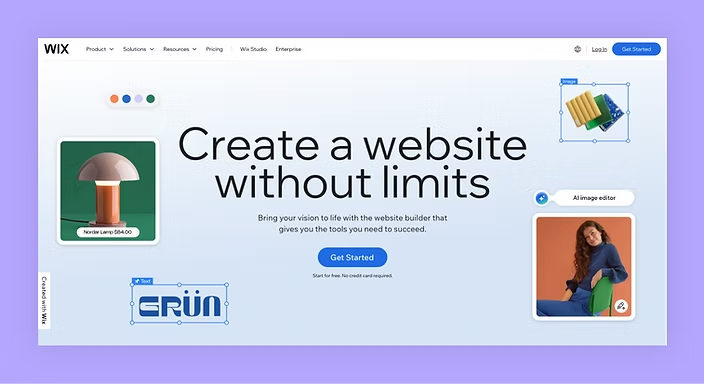
Wix is a cloud-based website builder – meaning you design, publish, and manage everything entirely in a browser. No hosting to configure, no plugins to install manually, no code required. That simplicity is the whole pitch, and for a lot of people, it’s genuinely compelling.
Wix launched in 2006 and now hosts over 250 million users worldwide. Those numbers are impressive, no question. But popularity doesn’t automatically mean it’s right for your business.
Here’s the thing: Wix works best for a specific type of user.
It’s a strong fit if you:
- Need a website up quickly without hiring a developer
- Don’t want to deal with technical maintenance or updates
- Run a local business, portfolio site, or straightforward service page
- Have a limited budget and want an all-in-one solution
It starts to feel limiting when:
- SEO is a serious growth channel for your business
- You want to scale significantly or add complex functionality over time
- You need true ownership and portability of your site
- You’re working with a professional designer who needs deeper control
Wix has evolved – especially with the arrival of Wix Studio, which is aimed at professional designers and agencies. So it’s more capable than it used to be. But its roots are still firmly in simplicity, and that shapes the whole experience.
Think of it like a furnished apartment. It’s move-in ready on day one and looks great. You just can’t knock down walls or rewire the electricity. For some people, that’s perfectly fine. For others, it becomes a real problem within a year.
The Pros of Using Wix: What It Gets Right
Let’s give credit where it’s due. Wix has genuine strengths, and if these align with your priorities, it might be exactly what you need.
Drag-and-Drop Editing That Actually Works
The Wix editor is intuitive in a way that most website builders aren’t. You can move elements freely anywhere on the page, adjust layouts visually, and publish something that looks decent in a day. For someone who’s never built a website before, that’s a significant advantage. There’s no steep learning curve the way there is with WordPress.
I’ve had clients – photographers, coaches, small shop owners – launch clean, functional Wix sites in a weekend. That kind of speed matters when you’re just starting out.
A Massive Template Library
Wix offers 900+ templates organized by industry – restaurants, photography studios, fitness coaches, real estate agents, and more. Most of them look modern and polished out of the box. You’re not starting from a blank page, which removes a huge amount of creative pressure early on.
Everything Under One Roof
Hosting, SSL security, and your domain – all bundled in. You don’t need to shop around for separate services or worry about keeping different accounts connected. For busy business owners who want simplicity, that has real value.
Solid Built-In Features
Wix includes tools for booking appointments, accepting payments, running a blog, building a contact form, and even sending email campaigns. You get a lot of functionality without needing to install or pay for third-party apps. For straightforward use cases, it’s plenty.
The Wix SEO Setup Is Beginner-Friendly
Wix has a built-in SEO tool that walks you through basic on-page optimization. You can set meta titles and descriptions, add image alt text, connect to Google Search Console, and handle the fundamentals without touching any code. For someone starting from zero, that’s genuinely helpful.
One thing I’ll say in Wix’s favor: the editor is fast and responsive. Clients who’ve used both Wix and older WordPress page builders often tell me Wix just feels smoother to work in – even when it’s less powerful under the hood.
The Cons of Wix: Where It Falls Short
Here’s where I have to be straight with you. These aren’t minor inconveniences. Depending on your goals, some of these can be outright deal-breakers.
You Can’t Switch Templates Without Rebuilding
Once you choose a Wix template and start building, you’re locked in. If you want a different look a year from now, you’re not swapping templates – you’re rebuilding your site from scratch. That constraint surprises a lot of people who assumed switching designs would be easy.
SEO Has a Real Ceiling
Wix has improved its SEO capabilities meaningfully over the years. But if you’re serious about organic search traffic, WordPress still gives you more control – full stop. Advanced schema markup, granular URL structures, Core Web Vitals optimization, and tools like Rank Math or Yoast SEO simply aren’t available on Wix at the same depth.
Let me be honest: I’ve helped clients migrate from Wix to WordPress specifically because they hit SEO limitations that were costing them rankings and traffic. It’s a pattern I see more than once a year.
For a deeper look at how to get more out of your on-page SEO regardless of platform, check out this on-page SEO checklist for business owners on this site.
Your Site Lives in Wix’s Ecosystem
You don’t own your site the way you do on a self-hosted WordPress installation. Your content, your design, your structure – it all lives inside Wix’s system. If they change their pricing (they have, multiple times), discontinue a feature, or if you ever want to leave, the exit process is painful. Moving to another platform means rebuilding, not exporting.
Pricing Adds Up Faster Than Expected
Wix has a free plan, but it’s not usable for a real business – your site will show Wix-branded ads and sit on a subdomain like `yourname.wixsite.com`. Once you add a proper paid plan, a custom domain, and any premium apps from the Wix App Market, the monthly cost can climb well past what people initially budgeted.
Page Speed Can Be Inconsistent
Site speed is a Google ranking factor, and Wix sites don’t always perform as well as a well-optimized WordPress or Framer build. It’s gotten better in recent years, but it’s still worth running a speed test before you launch and monitoring it over time.
How Wix Compares to Other Platforms
This is the question I get most often: “Should I use Wix or WordPress? Wix or Squarespace?” Here’s an honest, no-fluff comparison.
Wix vs WordPress
WordPress gives you complete control – custom themes, unlimited plugins, full SEO flexibility, and code-level access. The trade-off is complexity. WordPress requires more setup, more maintenance, and more technical know-how. But for businesses that are serious about growth and long-term SEO, it’s almost always the stronger foundation. If you’re wondering whether WordPress is right for your business, this guide to WordPress for small businesses breaks it down further.
Wix vs Squarespace
Squarespace is slightly more design-focused, with tighter template control and a more consistent aesthetic. It tends to produce polished results, but the editor is less flexible than Wix. For creatives and visual brands who want something clean and minimal, it’s a genuine alternative worth looking at.
Wix vs Showit
Personally, I think Showit is underrated – especially for photographers and visual creatives. It gives you pixel-perfect design freedom on the front end, while running your blog on WordPress underneath. You get beautiful, custom design and real SEO capability. It’s more niche than Wix, but for the right client, it’s a much better fit.
Wix vs Framer
Framer is a newer platform gaining real traction with developers and modern designers. It loads fast, outputs clean code, and gives you serious design flexibility. Not beginner-friendly at all, but if performance and modern aesthetics are your priority, it’s worth exploring.
The right platform comes down to your goals – not whichever one has the loudest marketing.
Wix Website Builder Pros and Cons: The Quick Checklist
Not sure where you land? Work through this before you decide.
Go with Wix if you check most of these:
- [ ] You need a site live within days, not weeks
- [ ] SEO isn’t your main growth channel in the near term
- [ ] You want to manage the site yourself without a developer
- [ ] Your site is a portfolio, local business page, or simple services site
- [ ] You’re testing a business idea before investing in a bigger build
Consider a different platform if any of these apply:
- [ ] You’re competing for keywords in a serious industry and need advanced SEO
- [ ] You’re building an e-commerce store with a large catalog or complex requirements
- [ ] You want full ownership and portability of your website
- [ ] You plan to scale heavily in the next 12–18 months
- [ ] You’re working with a professional designer who prefers deeper control
Here’s what I tell clients: start with your goals, not the platform. If you know you want to rank on the first page of Google for a competitive keyword within a year, Wix probably isn’t the right foundation to build on. If you need something clean and functional up quickly, it might be exactly right.
And if you’re still not sure? A short conversation with an experienced web designer can save you months of second-guessing.
The Bottom Line
Wix is a legitimate, capable platform – and for the right user, it’s an excellent choice. It’s beginner-friendly, quick to launch, and packed with features that cover most basic business needs. But it isn’t perfect, and it isn’t for everyone.
The honest answer to the Wix website builder pros and cons question is this: Wix wins on simplicity and speed. It loses on SEO depth, long-term flexibility, and true site ownership. If those trade-offs don’t apply to your situation, Wix might serve you well. If they do, it’s worth looking seriously at alternatives before you commit.
Still unsure which platform fits your goals? Adil Makhdoom helps business owners find the right platform and build websites that actually work – on Wix, WordPress, Showit, Framer, and beyond. Reach out today and let’s figure out the right fit together.
FAQ Section
Q: Is Wix good for SEO in 2026?
A: Wix is workable for basic SEO – you can set meta titles, descriptions, image alt text, and connect to Google Search Console. For local businesses and simple sites, that’s often enough. But for competitive industries where you need advanced technical SEO, schema markup, or plugin-level tools like Rank Math or Yoast, WordPress gives you more control. Wix has a ceiling. If organic search is a core growth channel for your business, that ceiling matters.
Q: Can I move my Wix site to WordPress later?
A: Yes, but it’s not a clean process. Wix doesn’t export in a format that maps directly into WordPress. You can migrate your blog content with some manual effort, but your design and layout won’t transfer – you’ll essentially be rebuilding the site from scratch. It’s doable, and designers do it regularly, but it takes time and money. That’s exactly why choosing the right platform from the start is worth the extra thought upfront.
Q: How much does Wix actually cost?
A: Wix has a free plan, but it includes Wix-branded ads and puts your site on a subdomain (yourname.wixsite.com) – neither of which is appropriate for a professional business. Paid plans start around $17/month for the Core plan. Once you factor in a custom domain, premium apps, and any e-commerce features, costs can reach $35–50/month or more. It’s still affordable, but it’s not as free or cheap as the marketing sometimes implies.
Q: What is Wix Studio and how is it different from regular Wix?
A: Wix Studio is Wix’s platform designed specifically for professional web designers and agencies. It offers more advanced layout tools, responsive design controls, CSS customization, and client management features.
Wix Pros and Cons at a Glance
| Category | Pros | Cons |
|---|---|---|
| Ease of use | ✅ Drag-and-drop, no code needed | Design changes can’t be undone after save |
| Design | ✅ 900+ templates, full layout control | Can’t switch templates without rebuilding |
| SEO | ✅ Solid on-page SEO tools, improves yearly | Less flexible than WordPress for technical SEO |
| Pricing | ✅ Competitive at $17–35/month | Adds up with premium apps |
| E-commerce | ✅ Built-in store, 0% transaction fees | Limited compared to Shopify |
| Flexibility | Good enough for most small sites | ❌ Platform lock-in (can’t export) |