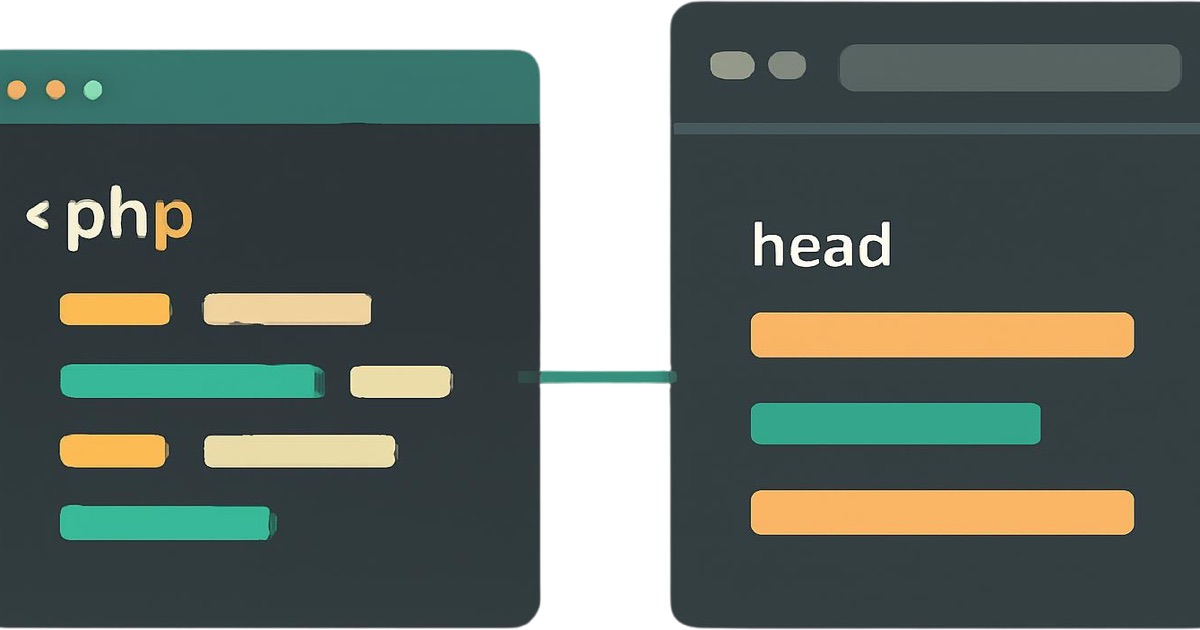
You can add meta keywords in WordPress without a plugin by hooking a function into wp_head in your child theme’s functions.php file. The code is below and it takes about five minutes.
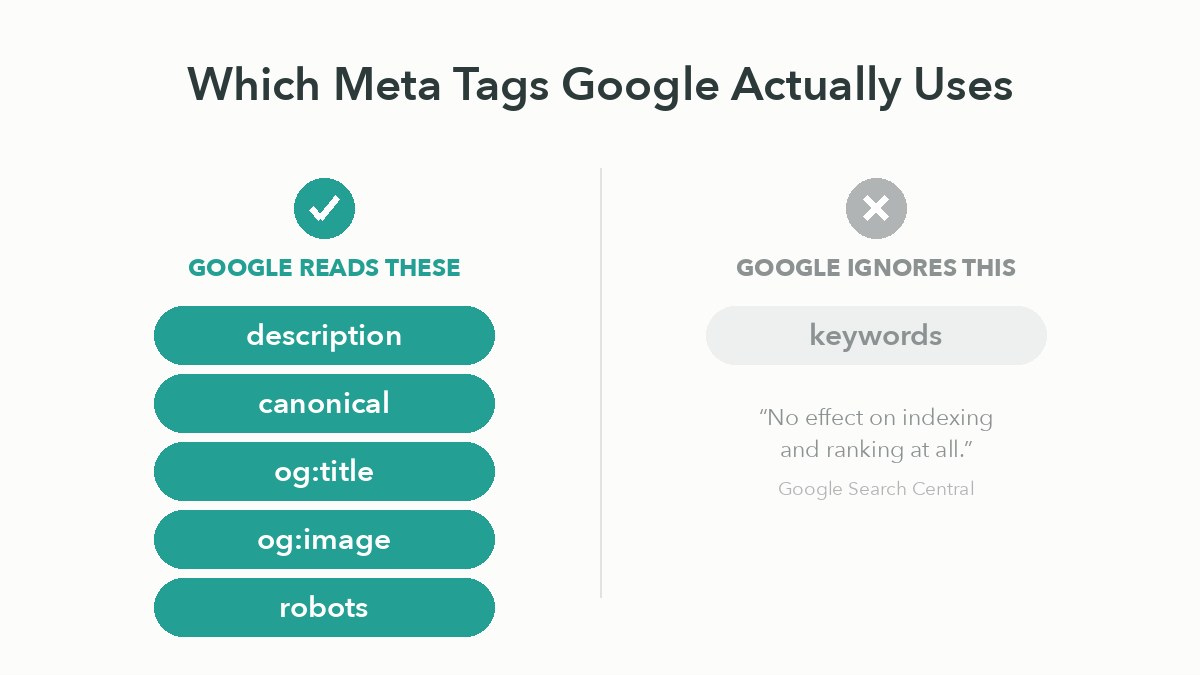
Before you paste it, one thing is worth knowing: Google does not read the tag. Not “reads it a little”, not “it helps slightly”. Google’s own documentation states that the meta keywords tag “has no effect on indexing and ranking at all.” So the five minutes will work, and it will do nothing for your rankings.
This guide covers both. The code, for anyone who needs the tag present for a client requirement or an internal system. And what to add instead, since you are already in the file.
Does Google actually use the meta keywords tag?
No. Google has said so publicly since 2009 and still says so today.
The current Google Search Central documentation lists every meta tag Google supports: description, robots, googlebot, notranslate, nopagereadaloud, google-site-verification, content-type, refresh, viewport and rating. The keywords tag is not among them. It appears instead under unsupported tags, where the documentation states plainly that “The meta-keyword tag is not used by Google Search, and it has no effect on indexing and ranking at all”.
This is not new guidance. Google published a post titled “Google does not use the keywords meta tag in web ranking” in September 2009. The position has not changed in the sixteen years since.
Every tutorial ranking for this search term will hand you the code and say nothing about this. That is the gap worth closing before you spend an afternoon filling in keyword fields on forty posts.
So why do people still add it?
Three legitimate reasons, and one that is not.
The legitimate ones: a client or agency requires the tag as a contractual deliverable, an internal search tool or CMS integration reads it, or you are working with a non-Google system that still parses it. Those are real, and the code below serves them.
The one that is not: believing it will improve your Google rankings. It will not, and the hours are better spent on your page titles.
How do you add meta keywords in WordPress without a plugin?
Add a function to your child theme’s functions.php that hooks into wp_head and prints the tag.
function theadil_meta_keywords() {
    if ( is_singular() ) {
        $keywords = get_post_meta( get_the_ID(), 'meta_keywords', true );
        if ( ! empty( $keywords ) ) {
            echo '<meta name="keywords" content="' . esc_attr( $keywords ) . '">' . "\n";
        }
    }
}
add_action( 'wp_head', 'theadil_meta_keywords' );
What each part does. is_singular() limits the tag to individual posts and pages, so it does not appear on archives where it makes no sense. get_post_meta() pulls the value from a custom field named meta_keywords on that specific post. esc_attr() escapes the output, which matters because anything typed into that field lands directly in your HTML.
To use it, enable Custom Fields in the post editor, add a field named meta_keywords, and enter your comma-separated terms as the value. In the block editor, Custom Fields are enabled from the three-dot menu at the top right, then Preferences, then Advanced.
Most tutorials on this topic omit esc_attr(). Do not omit it. An unescaped custom field is a small injection risk for a tag that does nothing.
Where should the code go: header.php or functions.php?
Use functions.php in a child theme. Editing header.php works, and it is what several guides recommend, but it is the more fragile of the two options.
| Editing header.php | functions.php hook | |
|---|---|---|
| Survives theme updates | Only in a child theme | Only in a child theme |
| Works if you switch themes | No | No, unless moved to a plugin |
| Per-post values | Difficult | Straightforward via custom fields |
| Risk of breaking the site | Higher, it is markup | Lower, but a syntax error is fatal |
| Where the logic lives | Mixed into your template | Separate from presentation |
Why will a theme update delete your meta tags?
Because updating a theme replaces its files, including any you edited.
This is the part almost every guide on this keyword leaves out, and it is the reason people find their tags gone months later with no idea why. If you edit functions.php or header.php inside the parent theme directly, the next update overwrites your changes completely. There is no warning and no backup.
Two ways to avoid it. Put your code in a child theme, which WordPress loads on top of the parent and which updates never touch. Or put it in a small site-specific plugin, which is a single PHP file in wp-content/plugins/ with a header comment. The plugin route has one advantage the child theme does not: your meta tags survive changing themes entirely.
If you are not sure whether you are running a child theme, check Appearance then Themes. A child theme’s name usually ends in “Child” and lists its parent underneath.
Which meta tags are actually worth adding without a plugin?
The description, the canonical, and Open Graph tags. These do real work.
Since you are already in functions.php, this is the far better use of the same hook:
| Tag | What it does | Worth it? |
|---|---|---|
description | Controls the snippet text in search results | Yes, high value |
canonical | Tells Google which URL is authoritative | Yes, prevents duplicate content problems |
og:title, og:description, og:image | Controls how links look when shared | Yes, affects click-through on social |
robots | Controls indexing and following | Yes, where needed |
keywords | Nothing, on Google | No |
How do you add a meta description without a plugin?
The same pattern, with a different field and a length limit.
function theadil_meta_description() {
    if ( is_singular() ) {
        $description = get_post_meta( get_the_ID(), 'meta_description', true );
        if ( empty( $description ) ) {
            $description = get_the_excerpt();
        }
        if ( ! empty( $description ) ) {
            echo '<meta name="description" content="'
                . esc_attr( wp_trim_words( $description, 30 ) ) . '">' . "\n";
        }
    }
}
add_action( 'wp_head', 'theadil_meta_description' );
This one falls back to the post excerpt when no custom description is set, so you get sensible coverage across the site without writing one by hand for every post. Keep descriptions to roughly 150 to 160 characters, since Google truncates beyond that.
Unlike the keywords tag, this one genuinely matters. It does not influence ranking directly, but it is the text people read before deciding whether to click, and that decision is the entire point.
When should you just use a plugin instead?
When you have more than a handful of pages, or when anyone other than you will edit the site.
Hand-rolled meta tags are fine for a small site you maintain alone. They stop being fine when a client needs to edit a description without touching PHP, when you need per-page canonical control, when you want XML sitemaps and schema markup handled properly, or when a syntax error in functions.php would take the whole site down at a bad moment.
There is no SEO penalty for using a plugin, and none for avoiding one. Google reads the rendered HTML and does not care how it got there. The choice is purely about maintenance, and I have written more on which WordPress plugins are worth installing on a business site.
What should you do with the time instead?
Write better page titles.
The title tag is the single highest-value on-page element you control, it is what Google most often shows in results, and most WordPress sites have titles that are either the raw post name or the theme’s default pattern. Fixing those across a site produces more measurable movement than any meta tag work, and it is covered properly in this guide to on-page SEO for small business websites.
After that: page speed, which is a confirmed ranking factor and where most WordPress sites have real problems. That one is covered in speeding up a WordPress site.
Two related settings live in the same SEO box: the field Google actually shows as your headline, covered in where the SEO title is in WordPress, and the beginner setup decisions that come before any of this, in WordPress website design tips for beginners.
Frequently asked questions
Yes. The wp_head hook can output all three, pulling per-page values from custom fields. Titles are handled slightly differently, through the pre_get_document_title filter or by adding theme support for the title tag and filtering document_title_parts.
Google’s position is documented and definitive. Other engines publish less about it, so treat any claim about them with caution unless you can find the engine’s own current documentation saying so. Nobody should build an SEO strategy on an undocumented maybe.
There is no documented penalty from Google for having the tag present. It is ignored rather than punished. The cost is your time, not your rankings.
Yes, if your theme has a custom code or header scripts field in the Customizer, or if you use a code-snippets plugin. Both are safer than editing theme files if you are not comfortable with PHP, and both survive theme updates.
A syntax error will produce a white screen or a fatal error on the whole site. Before editing, take a backup, and know how to reach your files over SFTP or your host’s file manager so you can undo the change if the site goes down. Never edit functions.php through the WordPress admin theme editor on a live site for exactly this reason.
There is no urgency. They are ignored, not harmful. If you are already in the code for another reason, removing them keeps your HTML cleaner and stops the next developer wondering whether they matter.
The short version
Google ignores the meta keywords tag completely, and has said so in its own documentation since 2009. If you need the tag present for a client or a system that reads it, hook a function into wp_head in a child theme, pull the value from a custom field, and escape the output.
Then use the same hook for the tags that earn their place: description, canonical and Open Graph. Put the code in a child theme or a site-specific plugin so a theme update cannot silently delete it.
And if the real goal was better rankings rather than a filled-in field, the title tags are where the work is.
Need this done properly? I build and maintain WordPress sites for clients across the US, UK and Australia, including the technical SEO work most themes get wrong. See how I work as a WordPress website developer.