Best Showit Templates for Wedding Photographers in 2026
Choosing a website platform when you’re a wedding photographer is genuinely stressful. You’ve got stunning images, a clear brand vision, and clients to impress – the last thing you need is a website builder that fights you every step of the way.
The best Showit templates for wedding photographers are those that put your images front and center, load fast, and guide clients toward booking. Top picks include Northfolk’s Aura, Tonic’s Camellia, and Davey & Krista’s free templates – all designed specifically for the wedding photography market.
That’s exactly why so many photographers are switching to Showit. And if you’re considering it, one of the first big decisions you’ll face is picking a template. There are hundreds of them. Some are gorgeous. Some are overpriced. A few are actually worth every dollar.
In this guide, I’m breaking down the best Showit templates for wedding photographers – what makes each one stand out, where to find them, and how to choose a design that fits your style without wasting a full weekend trying to figure it out.
Why Showit Is a Smart Choice for Wedding Photographers
Here’s the thing: most website builders weren’t designed with photographers in mind. Squarespace is clean but limiting. WordPress is powerful but overwhelming for non-developers. Wix is beginner-friendly but doesn’t always give you the visual control creative businesses need.
Showit was built differently.
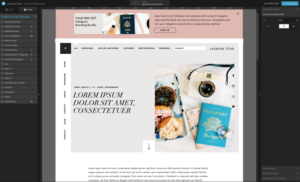
It gives you a drag-and-drop canvas – almost like working in Canva or Adobe InDesign – while plugging directly into WordPress for your blog. That combination is rare and genuinely useful when you’re trying to attract clients through SEO content like “best outdoor wedding venues in your area.”
What makes Showit especially strong for wedding photographers:
- Full design freedom – Place any element exactly where you want it, with no grid or column constraints holding you back.
- Separate mobile design – You build the mobile version of your site independently, which means no awkward cropped hero images or squished text on phones.
- WordPress blog integration – Your blog runs on WordPress, which is still the gold standard for search engine rankings.
- Stunning gallery displays – Showit handles full-screen image galleries the way a photographer expects: clean, fast, and visually immersive.
Personally, I think Showit is one of the most underrated platforms for creative professionals. Most photographers discover it through a colleague, switch over, and immediately wonder why they didn’t do it sooner.
What to Look For in a Showit Template Before You Buy
Not every template deserves your money. Before spending $200–$400 on a Showit theme, here’s what I’d check carefully:
Gallery Layout Options
Your portfolio needs space to breathe. Look for templates that include full-width galleries, horizontal scroll sections, or well-spaced masonry grids. A template that buries your work in tiny thumbnail rows isn’t doing your photography any favors.
How the Mobile Design Actually Looks
Open any template demo on your phone before you commit. Some designs look incredible on desktop and completely fall apart on mobile – squished text, off-center images, broken navigation. Since most wedding clients are browsing from their phones during lunch breaks or late at night, this matters more than most people realize.
Blog Layout and Structure
If you plan to write location-based content (think “elopement photographer in Colorado” or “intimate wedding venues in Savannah”), you need a template that includes a well-designed blog section. Not all templates put the same effort into this. Check that the blog page looks polished, not like an afterthought.
Style Match to Your Brand
This sounds obvious, but it’s easy to fall in love with a template’s demo imagery and forget you’re buying the structure, not the photos. Ask yourself honestly: does this layout feel like my work? A dark, editorial template won’t feel right if you shoot light, airy, bohemian weddings – and vice versa.
Support and Documentation
Some template designers offer video walkthroughs, email support, or free updates. If you’re not super technical, those extras can be worth paying a bit more for. A beautiful template you can’t figure out how to customize isn’t a bargain.
The Best Showit Templates for Wedding Photographers
These are template shops with strong reputations in the photography community. They produce quality consistently, and photographers trust them for good reason.
Tonic Site Shop
Tonic is probably the most well-known Showit template shop in the photography world – and the reputation is earned. Their designs are polished, editorial, and built with real booking intent in mind. The layouts are structured to guide visitors toward your contact form, not just your gallery.
Templates typically range from $300–$500. Not the cheapest option, but the quality is consistent and they include video tutorials that walk you through customization step by step. If you want something that looks high-end without heavy DIY effort, Tonic is a strong starting point.
Northfolk
Northfolk templates lean cleaner and more modern. If your style is minimal – lots of white space, strong typography, an intentional editorial feel – Northfolk is worth a close look. Their layouts are well-organized and tend to be easier to customize quickly compared to more complex multi-page designs.
They also build with conversion in mind, so pages are structured to move visitors naturally toward booking a call or filling out a contact form.
Davey & Krista
Davey & Krista is a team that actually runs a photography business themselves. That insider perspective shows in the layouts – they feel practical, not just pretty. Strong about pages, well-structured portfolio flows, and contact sections that don’t feel buried.
They also offer free Showit templates that are genuinely good, making them an excellent starting point if you’re not ready to invest in a premium design right away. For beginners, this is often where I’d point people first.
The Template Emporium
If you want something more romantic and styled – soft palettes, flowing layouts, elegant serif typography – The Template Emporium is worth bookmarking. Their Showit designs skew feminine and feel naturally aligned with luxury wedding photography branding.
The designs are visually striking, and the shop carries a solid range of styles within the romantic-editorial niche.
Hello Big Idea
Hello Big Idea offers Showit templates that blend bold typography with clean structure. If you want your personality to come through on the site – not just your portfolio – their designs give you that room to breathe. Good fit for photographers who have a strong voice and want their site to reflect it.
How to Customize Your Showit Template Without the Headache
Once you’ve purchased a template, the real work begins. And this is exactly where a lot of photographers lose hours – or give up entirely.
The good news: Showit’s editor is genuinely intuitive once you spend a few hours in it. The trick is working in the right order instead of jumping around randomly.
Step 1: Set your brand colors and fonts first.
Showit lets you define global styles, so updating your typography once changes it across every page. Do this before touching any layouts.
Step 2: Swap placeholder images section by section.
Work through the site page by page. Don’t try to redesign the layout at the same time you’re replacing images – that’s a recipe for three hours disappearing and nothing feeling done.
Step 3: Write and update your copy in one pass.
Placeholder text is everywhere in templates. Block out a few hours to write your homepage headline, about page story, and contact page message in one focused session rather than doing it piecemeal.
Step 4: Customize your homepage last.
It’s tempting to obsess over your homepage from the start. But your contact page, about page, and portfolio structure matter just as much for conversions. Get those tight first, then refine the homepage.
Step 5: Preview on mobile constantly.
Showit’s mobile editor is powerful, but changes don’t always carry over the way you’d expect. Every time you make a significant layout change, flip to mobile view immediately.
If the whole process feels like too much to take on alongside running your actual photography business, working with a web designer who knows Showit well can get you launched weeks faster – and with a result you’re genuinely proud to send to leads. You can learn more about Showit website design and what the process looks like if you want a clearer idea of what that looks like.
Quick Checklist: Is Your Showit Site Ready to Book Clients?
Before you hit publish, run through this list:
- [ ] Hero section has a clear headline stating what you do and where you’re based
- [ ] Navigation is simple: Portfolio, About, Investment or Pricing, Blog, Contact
- [ ] Contact form is working and confirmed routing to your real email
- [ ] About page includes a photo of you – not just your portfolio work
- [ ] Portfolio galleries load quickly and look clean on both desktop and mobile
- [ ] Blog is connected to WordPress and at least one post is live
- [ ] Footer includes your location, a contact link, and the current copyright year
- [ ] Google Analytics or Search Console is connected
- [ ] Meta titles and descriptions are customized on every page – not left as template defaults
If you’re checking off everything on this list, you’re in good shape to start sending traffic to your site.
The Right Template Is a Starting Point, Not a Finish Line
The best Showit templates for wedding photographers aren’t just about looking beautiful – they’re about building a site that turns visitors into actual inquiries. Good design gets people to stay. Good structure gets them to reach out.
Start with a reputable template shop like Tonic, Northfolk, or Davey & Krista. Customize it carefully, check it on mobile constantly, and connect your WordPress blog from day one so your SEO efforts start compounding early.
And if you’d rather skip the DIY process entirely, Adil Makhdoom is here to help. From Showit customization to full photography website builds, reach out today and let’s create something you’re proud to put in front of every future client.
FAQ Section
Q: Is Showit good for wedding photographers?
A: Absolutely. Showit was built with creative professionals in mind, and wedding photographers in particular love it for its visual design freedom, full-screen gallery support, and independent mobile customization. The WordPress blog integration also makes it a strong platform for SEO – which is crucial if you want to rank for location-based search terms like “wedding photographer in your area.” It’s one of the few platforms that genuinely balances great design with real search engine potential.
Q: Can I use Showit with WordPress?
A: Yes – and that’s honestly one of Showit’s best selling points. Your main website runs on Showit’s visual canvas, while your blog runs on WordPress in the background. You get Showit’s design freedom combined with WordPress’s SEO strength. It’s a combination most other website platforms simply can’t offer, and it makes a real difference when you’re trying to attract clients through Google search.
Q: How much do Showit templates cost?
A: Showit templates typically range from free (Davey & Krista offer solid free options) to $300–$500 for premium designs from shops like Tonic Site Shop. Beyond the template cost, you’ll also pay for a Showit subscription – plans start around $24/month for the basic tier and go up from there. Budget for both the one-time template purchase and the ongoing subscription when planning your website investment.
Q: Do I need a designer to set up a Showit template?
A: Not necessarily. If you’re comfortable with drag-and-drop tools and can set aside a few focused hours, most templates come with enough tutorials and documentation to get through the setup yourself. That said, if you want a more polished, custom result – or you simply don’t have the time – hiring a web designer who specializes in Showit will produce a better outcome and save you significant frustration in the process.
Q: What’s the best Showit template for beginners?
A: Davey & Krista’s free templates are the best starting point for someone just getting started. They’re well-structured, easy to navigate, and come from a team that actually understands photography businesses. For paid options, Northfolk’s simpler, cleaner layouts tend to be more manageable for beginners compared to the more complex, multi-section designs you’ll find at larger shops.
Top Showit Templates for Wedding Photographers: Comparison
| Template / Shop | Price | Style | Best For |
|---|---|---|---|
| Northfolk – Aura | ~$350 | Dark, editorial | ✅ Moody / fine art photographers |
| Tonic Site Shop – Camellia | ~$400 | Clean, elegant | ✅ Luxury & high-end brands |
| Davey & Krista – Free Starter | Free | Clean, minimal | ✅ Beginners on a budget |
| Madi Rowan | $300–$450 | Light, feminine | Bright and airy aesthetic |
| Folio Themes | ~$250 | Bold, modern | Contemporary editorial style |